An Interesting Framework: Performative UI
Today I saw a fun project on Hacker News: Performative UI.
Its self-description is just one simple sentence: an “AI-native React Components” library. But after clicking around for a few seconds, you realize every component feels familiar. It is not trying to be a serious, stable component library like shadcn/ui. It is directly targeting the highly homogenized AI startup website style.
In other words, it packages the kind of thing you often see when opening a new product site, where the AI smell almost spills out of the screen:
- Dark background.
- Purple-blue gradients.
- Glassmorphism cards.
- Floating glows.
- “AI-native” headlines.
It looks premium, but we have already developed aesthetic fatigue.
You do not even need to read the copy to know what the site wants to express: we are new, we are cool, and we embrace AI.
The funny part of Performative UI is that it does not stand outside this style and scold it. It directly turns the whole style into a component library. And if you look closely, it is actually pretty well made.
It Mocks the Performance of “Looking Like a Successful Product”
The word “performative” is very precise.
These UI elements are certainly meant to look good, but they also carry another function: before users understand the product, they make it look like a modern, reliable, technical, fundable product.
This is why many independent developers and small teams fall into an awkward situation. The product itself may be useful, but if the page is too plain, people think it looks unprofessional. Conversely, a project that has not built much substance can gain trust first if its homepage looks polished enough.
Performative UI is making fun of this reality.
Its components do not stop at boring names like “pretty button” or “modern card.” The subtext behind each control is written out in a self-mocking way. Reading those component descriptions gives you the embarrassment of being exposed: so what we call a “premium feel” is often just a set of familiar stage props.
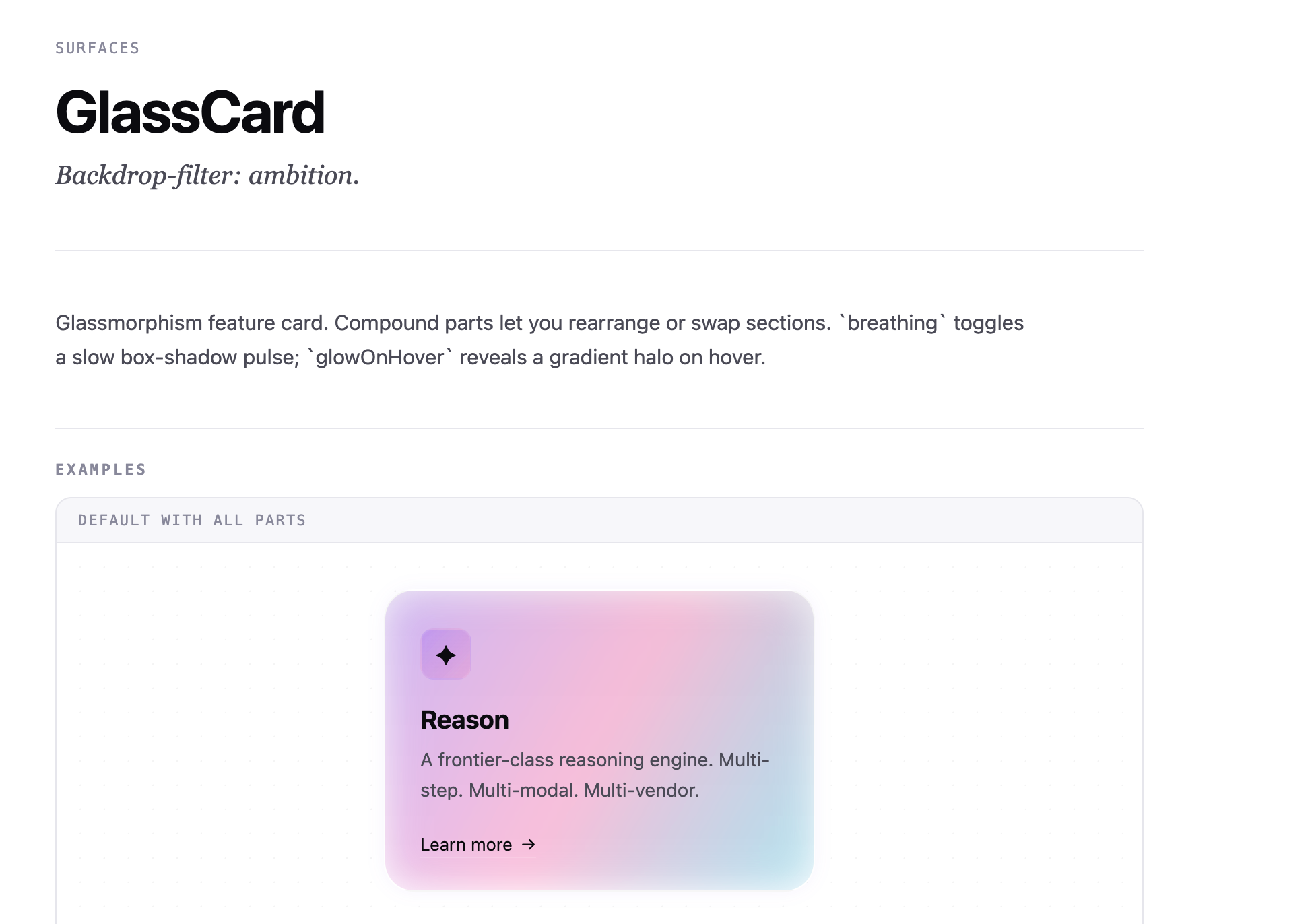
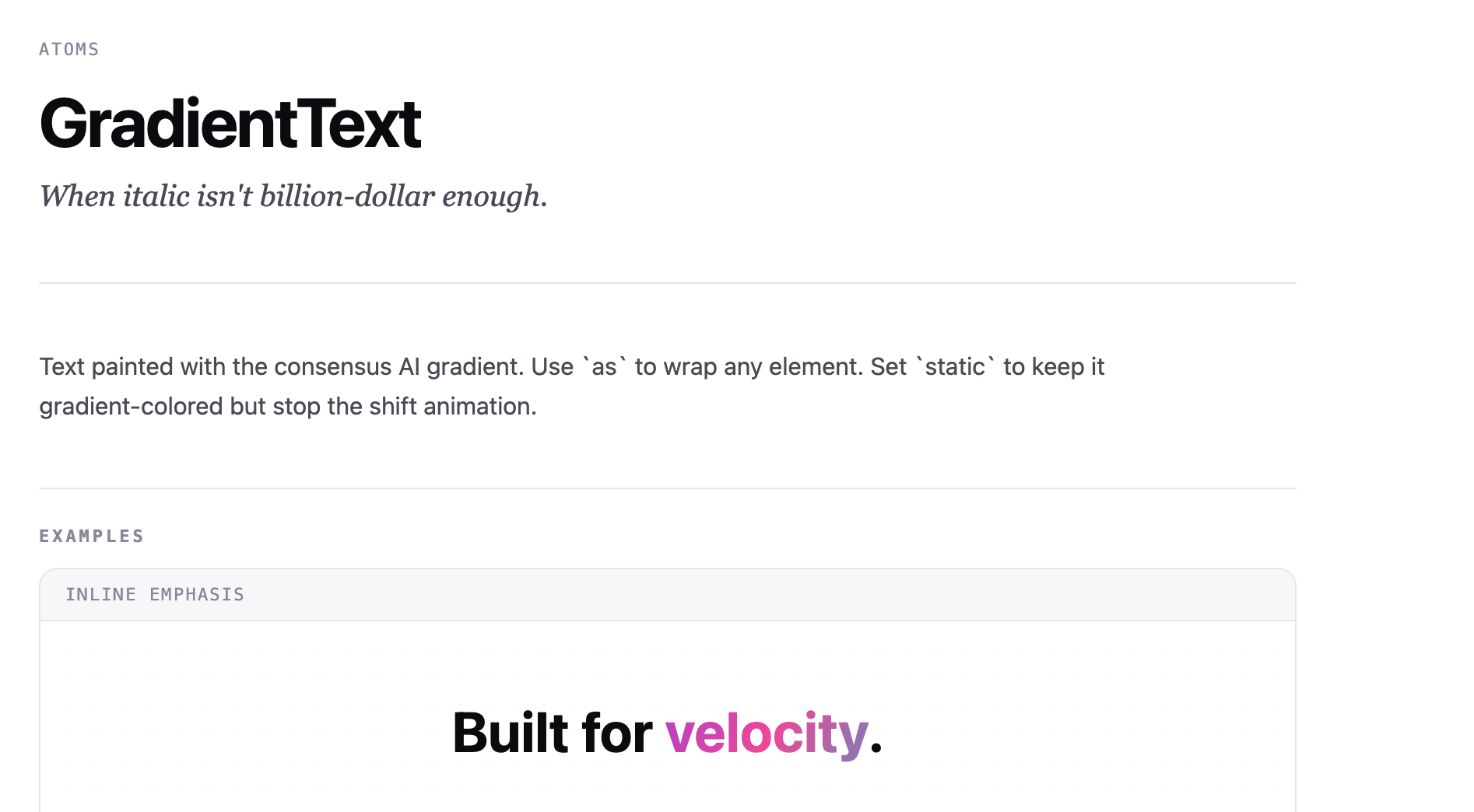
For many homepages today, the first task has shifted from explaining the product to manufacturing a familiar feeling of success.
Why We Immediately Know What It Is Satirizing
In recent years, since the explosion of AI products, website visual language has become extremely concentrated.
The most common pattern is a black page, a huge headline in the middle, glowing lines or noise in the background, a row of “trusted by” logos below, and then several translucent cards. Even before you know whether the product does customer service, coding, notes, or PPT generation, you can already tell what species it belongs to.
This style has become a template.
This template is different from earlier website builders like WordPress. There have always been many template marketplaces online, but their styles still differed, and different site types had different presentation forms.
Now the template is highly homogenized. Even completely unrelated products can have almost identical marketing websites.
And it is not only marketing sites. Even if you ask some AI software-generation platform to create a B2B admin dashboard from one sentence, you are very likely to see those colorful black designs.
The Framework Is Actually Useful
What I find most interesting about this project is that it does not completely reject this style.
Because honestly, if you want to quickly make a website that “looks cool,” it can really be used.
This sounds like defending homogenized design, but reality is like this: users are influenced by visual signals. Investors are influenced by visual signals. Candidates are influenced by visual signals. Even product managers and engineers themselves are influenced by visual signals.
If a page looks like a 2012 admin system, users naturally lower their expectations. If a page looks like a 2026 AI tool, even if the functionality is still simple, people are more willing to believe that it “might have something.”
When we lack information, we use appearance as a proxy signal. Website design is part of product credibility.
Of course, wrapping a cool UI around a product will not make the product better. It only makes people willing to look twice, click one more button, and give you one more chance to explain yourself.
For early products, that is already important. To be honest, some people around me still think large dark-purple gradients and big multicolored text look good. I personally dislike it a bit, but this framework is honestly much better designed than pages generated by a single sentence.
Homogeneity Is Not Always Laziness. Sometimes It Lowers Understanding Cost.
Many people hate homogenized design. I do too. Especially those pages where every product says “the AI workspace for modern teams.” Seeing too many of them can cause physical fatigue.
But from a product perspective, homogeneity is not all bad.
Familiar patterns can lower understanding cost. When users see a PricingCard, they know what to compare. When they see a Waitlist, they know the product is not open yet. When they see three FeatureCards, they know you are breaking down selling points.
This is why many SaaS homepages look increasingly similar. Many teams do have taste, but these patterns have been validated by the market.
The real problem is when only the pattern remains.
If a product truly has clear value, using a mature visual language is not a problem. The danger is when the product itself has no judgment and only piles up symbols that “look like a startup.”
That is exactly what Performative UI is mocking.
It is as if it is saying: look, you thought you were designing, but you were really calling a set of industry emoji.
AI Will Make This Style More Widespread
In the past, making a modern-looking website required at least decent frontend and design ability. Now it is different.
- You can ask AI to generate a landing page.
- You can directly use Tailwind templates.
- You can copy shadcn/ui components.
- You can create a “decent-looking” homepage in minutes.
This leads to one result: visual “professionalism” becomes cheaper and cheaper.
When everyone can quickly generate a beautiful website, beauty itself is no longer scarce. Visual details that once represented capability, such as animation, gradients, glass cards, and complex backgrounds, increasingly look like default skins.
Performative UI is both satirical and efficient: since everyone is going to perform, it might as well package the whole set of stage props for you.
Of course, there are now things like Claude Design and various frontend design skills that can create more varied pages, but directly using a framework is also an efficient choice.
How I Would Use It
If I need to quickly build a demo, a hackathon project, a proof-of-concept page, or an AI tool that genuinely needs a bit of cyberpunk feeling, I might actually consider using Performative UI.
The reason is simple: it performs well enough.
Early products sometimes need a shell that quickly expresses a vibe. Especially if your goal is to help people quickly understand “this is a modern AI product,” using a visual language that the market has already been trained to recognize is a practical choice.
Although people like us who deal with AI every day may find these styles boring, we cannot deny that many people who are less familiar with AI design styles still find them appealing.
But for long-term products, professional tools, and complex workbenches, I would be much more cautious.
Performative UI can easily become excessive. Too much glow looks cheap, too much animation interferes, and empty copy reduces trust. Products used frequently eventually need to return to clarity, stability, and predictability.
Coolness can bring users in, but it cannot make them stay.
Summary
The most valuable part of Performative UI may not be the React components themselves. It is more like a mirror.
It shows us that the cool feeling of many “modern websites” today often comes from a reproducible set of visual signals, and may not have much to do with product understanding.
These signals are valuable and empty at the same time. They are useful and easy to abuse.
So I would not say “do not use this style.” On the contrary, if your goal is to quickly make a website that looks cool, contemporary, and AI-native, use it openly. Just be clear about what you are using.
You are invoking a performance language that the market already recognizes. Knowing that can actually help you use it more consciously.
That is also where Performative UI’s humor lives: it mocks us for copying the same sense of the future while packaging that future into ready-to-use components. It is ironic, and it is practical.